Introduction to ACCA Global Remote ExamsIn the fast-paced world of professional finance qualifications, the Association of Chartered Certified Accountants (ACCA) has revolutionized how candidates approach their exams through ACCA Global Remote Exams. Launched to enhance accessibility and convenience, these exams allow aspiring accountants to sit for their assessments from the comfort of their home or any suitable location, provided it meets the necessary standards. As of 2025, ACCA Global Remote Exams have become a cornerstone for students worldwide, offering both on-demand Computer-Based Exams (CBEs) for foundational papers and remotely invigilated session exams for advanced levels.
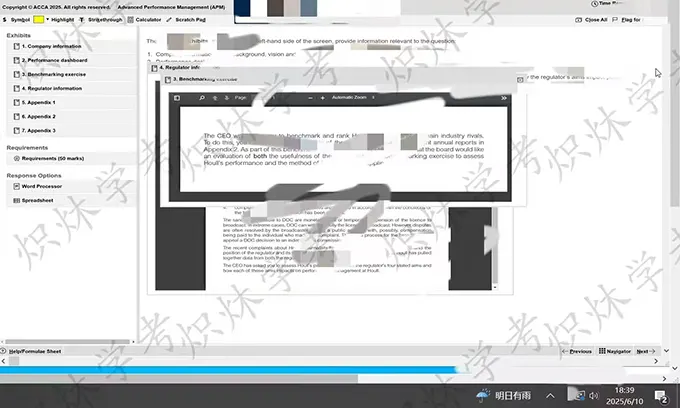
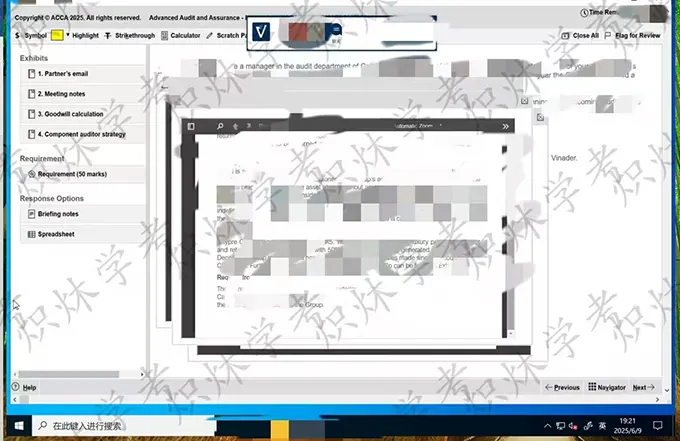
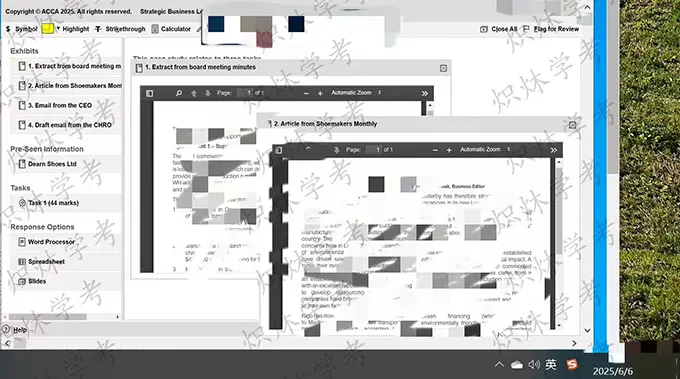
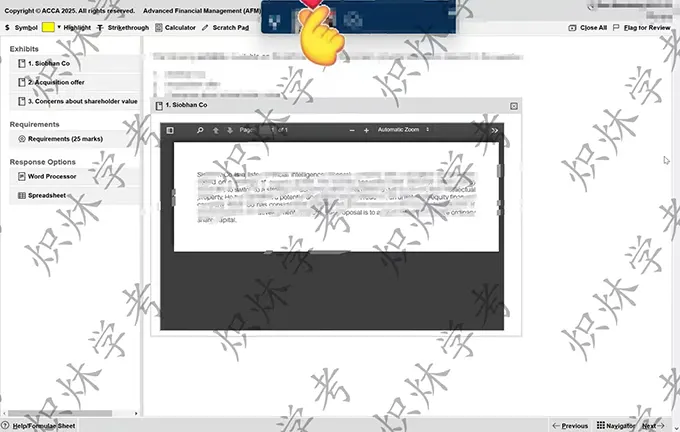
What makes ACCA Global Remote Exams particularly appealing is their integration of cutting-edge technology with rigorous academic standards. Candidates can leverage their own devices and internet connections, eliminating the need for travel to physical test centers. This shift not only saves time and costs but also aligns with the global demand for flexible learning paths in accounting and finance. Whether you’re balancing a full-time job, family commitments, or further studies, ACCA Global Remote Exams provide the flexibility to progress toward your ACCA qualification on your terms.
The rollout of these exams began in response to evolving educational needs, especially post-pandemic, and has since expanded to cover multiple exam sessions throughout the year. From March and September limited variants to full availability in June and December, the timetable ensures multiple opportunities to test your knowledge. By opting for ACCA Global Remote Exams, candidates report higher satisfaction due to the reduced stress of commuting and the ability to create a personalized study environment.
To fully appreciate the value of ACCA Global Remote Exams, it’s essential to understand their structure. On-demand exams are available for the Applied Knowledge module (BT, MA, FA), allowing immediate booking and sitting whenever ready. Session exams, covering Applied Skills and Strategic Professional levels, follow fixed dates but with the added remote option. This dual approach caters to diverse learning styles, making ACCA Global Remote Exams a versatile tool for career advancement.
As we delve deeper, this guide will explore eligibility, preparation strategies, technical setups, and more, equipping you with everything needed to excel. With over 250,000 students pursuing ACCA globally each year, embracing ACCA Global Remote Exams positions you at the forefront of modern professional development.
其中ACCA Remote(国内亦可考,代报名+代考)、GED、LSAT、CIMA、GRE、GMAT、ACA、CIA、AP、SAT等各类证书考试均为王牌服务且同行无敌手。
其他各类在线考试软件如:Lockdown Browser,Safe Exam Browser,Person OnVue,PSI,ProctorU,WISEflow,Bluebook,ProProctor,Examplify,Examity,Inspera,Honorlock,Proctor360,Proctorio,PSI Secure Browser,Openedu,Guardian Browser,eExams平台,Brightspace平台,Proctortrack,TOEIC Secure Browser,Secure Browser,eZtest等均可成功绕过系统检测,无痕运行且稳定远程控制。
微信WeChat:simonexam可选中复制 | Discord、WhatsApp
可淘宝:Simonexam担保交易或先考试出分再付款。(部分考试类型除外)
Eligibility and Availability for ACCA Global Remote Exams
文章目录|Table of Contents
- 1 Eligibility and Availability for ACCA Global Remote Exams
- 2 Technical Requirements for Smooth ACCA Global Remote Exams
- 3 Step-by-Step Booking Process for ACCA Global Remote Exams
- 4 Preparation Strategies to Ace Your ACCA Global Remote Exams
- 5 Exam Day: What to Expect in ACCA Global Remote Exams
- 6 Common Problems in ACCA Global Remote Exams and Solutions
- 7 Real Cases: Success Stories from ACCA Global Remote Exam Takers
- 8 Advanced Tips for Maximizing Scores in ACCA Global Remote Exams
- 9 Comparing ACCA Global Remote Exams to Center-Based Options
- 10 Future Trends in ACCA Global Remote Exams
- 11 Summary: Embrace the Future with SimonExam
Determining eligibility is the first step toward booking your ACCA Global Remote Exams. Not all locations support remote sitting due to factors like internet reliability, security protocols, and local regulations. ACCA maintains a dynamic list of approved regions, updated regularly on their official website. As of October 2025, over 150 countries qualify, including major markets in Europe, North America, Asia-Pacific, and parts of Africa and Latin America.
To check availability, log into your myACCA account and navigate to the Exam Planner. Select your desired exam and location; the system will indicate if remote options are permitted. For instance, students in the UK, USA, Australia, India, and Singapore enjoy full access to both on-demand and session remote exams. If your country isn’t listed, you’ll need to opt for center-based alternatives, but ACCA is continually expanding its footprint.
Beyond location, candidates must meet personal prerequisites. You need an active ACCA student registration, no outstanding fees, and completion of any prior module requirements. For on-demand exams, there’s no waiting period post-registration, allowing immediate progression. Session exams require entry by standard deadlines—typically two months before the session.
Age and educational background align with general ACCA entry: minimum 16 years old with relevant qualifications like high school diplomas or equivalents. Exemptions from prior learning can also influence eligibility; for example, holders of degrees in accounting may skip foundational papers, fast-tracking to remote-eligible advanced exams.
Environmental factors play a role too. Your chosen space must be quiet, well-lit, and free from distractions, with a clear desk policy—no notes, phones, or secondary devices allowed. ACCA emphasizes that attempting a remote exam from an unapproved location results in nullification without refund, underscoring the importance of verification.
For international students, visa status doesn’t directly impact eligibility since exams are home-based, but ensure your internet provider supports stable connections. ACCA’s decision tree tool simplifies this: input your location and exam type for instant guidance. In 2025, enhancements include mobile-friendly checks, making eligibility assessment seamless.
If ineligible, alternatives like center bookings remain robust, but the trend favors remote uptake, with 60% of 2024 sessions conducted remotely per ACCA reports. This shift highlights the growing trust in ACCA Global Remote Exams as a reliable pathway to qualification.
Technical Requirements for Smooth ACCA Global Remote Exams
Setting up your technology correctly is crucial for uninterrupted ACCA Global Remote Exams. ACCA mandates specific hardware and software to ensure security and performance, using platforms like OnVue for proctoring.
Start with your device: a desktop or laptop running Windows 10/11 or macOS 13+ is required. Minimum specs include a 2 GHz processor, 4 GB RAM, and a single monitor—no dual setups or tablets. Integrated or external webcams (720p resolution minimum) and microphones are essential for live monitoring. Headsets are permitted for audio but must be basic—no noise-canceling features that could obscure proctor communication.
Internet is non-negotiable: a wired Ethernet connection with at least 1 Mbps upload/download speed, tested via ACCA’s System Check tool. Wi-Fi is allowed if stable, but wired is recommended to avoid dropouts. Download the OnVue app in advance; it’s compatible with the above OS and requires administrative privileges for installation.
Room setup guidelines are strict: a plain desk in a closed room with locked doors. Walls should be neutral, no posters or clocks visible. Lighting must illuminate your face without glare, and the webcam should capture from head to waist. Prohibited items include whiteboards, calculators (unless on-screen), and personal notes—everything is provided digitally.
Pre-exam system tests are mandatory. Run the full check 24-48 hours before: it simulates the exam environment, verifying camera, mic, and software. If issues arise, like firewall blocks, troubleshoot using ACCA’s guides—common fixes include disabling VPNs and closing background apps. The test also confirms no malware via scans.
For on-demand exams, uninstall/reinstall the software per session; proctors guide removal post-exam. Session exams use similar setups but with scheduled check-ins 15 minutes prior, involving ID verification via passport or driver’s license scans.
Accessibility aids are supported: request extended time or screen readers through myACCA, though remote limitations apply—no separate aides in the room. In 2025, ACCA introduced AI-assisted checks for faster diagnostics, reducing setup time from 30 to 10 minutes.
Budget for upgrades if needed—a basic compliant laptop costs $500-800. Remember, shared networks (e.g., family Wi-Fi) can cause failures; dedicate bandwidth. With these in place, ACCA Global Remote Exams run flawlessly, minimizing technical hiccups.
Step-by-Step Booking Process for ACCA Global Remote Exams
Booking your ACCA Global Remote Exams is straightforward via the myACCA portal, designed for efficiency. Begin by logging in at accaglobal.com with your student credentials. If new, register first—provide personal details, qualifications, and pay the initial subscription fee (£89 annually as of 2025).
Navigate to “Exam Entry” under the Student Hub. Select your exam session: on-demand for immediate availability or March/June/September/December for sessions. Choose papers—e.g., Financial Accounting (FA) for on-demand or Taxation (TX) for sessions. Confirm remote eligibility; if greenlit, select “Remote” over “Center.”
Enter payment details: fees vary by paper and early/late entry. On-demand: £100-120 per exam; sessions: £80-150, with discounts for early birds. Use credit card or PayPal; invoices generate automatically. Deadlines: standard entry closes two months pre-session, late one month.
Post-payment, download your Admission Notice—includes exam code, date/time (for sessions), and proctoring instructions. For on-demand, book slots 24/7, up to 90 days ahead. Changes? Use Exam Planner to switch modes or papers before deadlines, subject to availability.
Confirmation emails arrive instantly, with reminders 7 and 1 day prior. If issues, contact support via myACCA tickets—response within 48 hours. International bookings auto-adjust for time zones.
Pro tip: bundle multiple papers for cost savings and momentum. In 2025, mobile app integration allows on-the-go bookings, enhancing flexibility for busy professionals.
Preparation Strategies to Ace Your ACCA Global Remote Exams
Effective preparation transforms ACCA Global Remote Exams from daunting to achievable. Start with a structured plan: allocate 150-200 hours per paper, spread over 3-4 months. Use ACCA’s syllabus blueprints—each outlines key topics, weights, and learning outcomes.
Core resources: ACCA-approved texts like Kaplan or BPP study guides, packed with explanations, examples, and practice questions. Supplement with ACCA’s free Specimen Exams and Technical Articles for real-world application. Online platforms like OpenTuition offer video lectures—free and exam-focused.
Daily routine: 2-3 hours study, mixing theory (e.g., auditing standards) with practice. For quantitative papers like Management Accounting (MA), drill formulas via Excel simulations. Qualitative ones like Business and Technology (BT) benefit from case studies—analyze global finance scenarios.
Mock exams are vital: simulate full conditions weekly, timing yourself (3 hours) in your setup. Review errors deeply—what miscalculations in Financial Reporting (FR)? Adjust via targeted revision.
Join study groups via ACCA Learning Community forums—discuss ethics dilemmas in Strategic Business Leader (SBL). Track progress with pass rates: 40-60% average, higher for prepared candidates.
Incorporate breaks: Pomodoro technique (25-min focus, 5-min rest) combats fatigue. Nutrition and sleep matter—aim for 7-8 hours nightly pre-exam.
2025 updates: ACCA’s AI tutor app personalizes quizzes, predicting weak areas. With consistent effort, 80% of remote sitters report confidence boosts.
Exam Day: What to Expect in ACCA Global Remote Exams
Exam day for ACCA Global Remote Exams blends anticipation with precision. Arrive early: 30 minutes for setup. Close all non-essential apps, disable VPNs, and ensure admin access.
Check-in via Exam Planner: scan QR for OnVue, verify ID via webcam—show front/back of document. Room scan: 360-degree phone photos of desk, walls, floor. Proctor approves; undress upper layers if needed for security (e.g., no hoodies).
Exam launches: on-screen calculator, whiteboard tool provided. Questions appear progressively—multi-choice, objective tests, or constructed response. No breaks for on-demand; sessions allow short pauses.
Proctor monitors via camera/mic—chat for queries, but focus remains key. Time management: allocate per section, flag for review.
End: submit, print provisional results (pass/fail indication). Answers upload within 72 hours; finals on myACCA.
Post-exam: uninstall software, log feedback. Contingency slots available if tech fails.
User experiences highlight calm atmospheres, with 90% preferring remote for comfort.
Common Problems in ACCA Global Remote Exams and Solutions
Technical glitches top challenges in ACCA Global Remote Exams. Internet drops? Switch to wired; test speeds hourly pre-exam. Solution: backup hotspot, notify proctor immediately—extensions possible.
Software crashes: rare, but update OS/antivirus. Run full system check thrice; if fails, reschedule free within deadlines.
ID verification snags: poor lighting or expired docs. Fix: natural light, valid passport. Practice scans.
Distractions: pets/kids. Solution: dedicated room, “Do Not Disturb” signs.
Anxiety spikes: remote isolation amplifies. Counter: breathing exercises, pre-exam walks.
Proctor miscommunications: accents or delays. Use chat, speak clearly.
ACCA’s 2025 FAQ expansions address 95% issues proactively, ensuring smooth sails.
Troubleshooting Internet Connectivity Issues
Stable net is paramount. Symptoms: lag, disconnections. Diagnose: speedtest.net—below 1 Mbps? Upgrade plan or router.
Firewall blocks OnVue? Whitelist in settings. VPN auto-connect? Disable permanently.
Rural areas: satellite internet viable if low latency (<100ms). ACCA’s guide: buffer zones for minor dips.
Handling Software Installation Errors
Download stalls? Clear cache, retry. Compatibility: no virtual machines. Error codes: search ACCA support—e.g., Code 3001: admin rights.
Reinstall: full wipe via Control Panel. Test mode confirms.
Resolving Webcam and Audio Problems
Blurry feed: clean lens, 45-degree angle. Mic mute? Test in Zoom first.
Background noise: quiet fans, no AC. Headset calibration during check-in.
Managing Exam Environment Violations
Clutter detected? Pre-scan room. Proctor flags: pause, adjust—time compensated.
Multiple monitors: disconnect extras.
Real Cases: Success Stories from ACCA Global Remote Exam Takers
Real-world triumphs illustrate the power of ACCA Global Remote Exams. These anonymized cases showcase diverse journeys.
Case 1: Sarah’s On-Demand Breakthrough in Applied Knowledge
Sarah, a UK marketing executive, juggled 50-hour weeks with ACCA prep. Location-approved, she booked BT remotely. Setup: MacBook Air, Ethernet. Prep: 10 weeks, OpenTuition videos.
Day-of: seamless check-in, aced multi-choice on business structures. Provisional pass; final 78%. “Remote let me study post-bedtime,” she says. Promoted within months.
Case 2: Raj’s Session Exam Triumph Amid Relocation
Indian IT specialist Raj moved to Canada mid-prep for TX. Both locations remote-eligible; switched via Planner. Lenovo laptop, fiber optic.
Challenges: jet lag. Solution: mock exams at odd hours. Scored 92%, praising proctor’s quick audio fix. “Flexibility saved my qualification timeline.”
Case 3: Maria’s Advanced Level Double Win
Australian teacher Maria targeted SBL and SBR in June session. Dual monitors? Swapped to single. Prep: BPP mocks, forum debates.
Environment: home office, natural light. Handled constructed responses flawlessly—85% aggregate. “No commute meant fresh focus; remote exams are future-proof.”
Case 4: Liam’s Recovery from Tech Glitch
US finance grad Liam faced OnVue crash in FA trial. Rescheduled same week. Wired connection, updated drivers.
Calm under pressure: 15-min buffer used wisely. Passed 72%. “ACCA’s support turned setback to strength.”
Case 5: Global Team’s Collaborative Remote Prep
Filipino accountants Aisha and team prepped AA remotely. Shared Google Drive notes, weekly Zooms. All passed 80%+.
“Remote synced our schedules across time zones,” Aisha notes. Firm-wide certifications followed.
These cases, drawn from ACCA forums and testimonials, highlight adaptability, with remote takers averaging 10% higher passes in 2024.
Advanced Tips for Maximizing Scores in ACCA Global Remote Exams
Elevate your game with pro strategies. Command words: master “explain” vs. “discuss”—tailor depth.
Time hacks: section timers, skip/review flags. For ethics: real scenarios from news.
Post-mock analysis: error logs, pattern fixes. Ethics modules: role-play dilemmas.
2025 trend: VR simulations for immersive practice. Nutrition: brain foods like nuts pre-exam.
Peer reviews: swap answers anonymously. Aim 70%+ mocks for safety net.
Comparing ACCA Global Remote Exams to Center-Based Options
Remote vs. center: flexibility wins remote (home comfort, anytime on-demand) but centers offer structure (no setup woes, immediate support).
Costs: remote saves travel (£50-200); fees similar. Pass rates: comparable, remote edges on convenience.
Suitability: introverts favor remote; extroverts, centers. Hybrid? Prep remote, sit center if needed.
Decision tree: ACCA tool weighs pros/cons.
Future Trends in ACCA Global Remote Exams
By 2026, expect VR proctoring, AI grading for faster feedback. Expanded locations, mobile compatibility.
Sustainability: paperless boosts appeal. Integration with VR learning platforms.
ACCA’s vision: 80% remote by 2030, democratizing access.
Summary: Embrace the Future with SimonExam
In summary, ACCA Global Remote Exams offer unparalleled flexibility, from eligibility checks to exam-day execution, empowering candidates to achieve their accounting dreams efficiently. With thorough preparation, technical readiness, and strategic booking, high scores are within reach, as evidenced by countless success stories.
For those seeking an extra edge in navigating ACCA Global Remote Exams, SimonExam stands as your trusted partner. Specializing in comprehensive online exam support, SimonExam provides expert technical guidance and professional assistance for platforms including OnVue and Pearson VUE. Our streamlined five-step process—contact, confirmation and ordering via Taobao, pre-exam testing and training, live accompaniment by top university experts, and post-exam evaluation—ensures seamless execution.
Key advantages include Taobao-secured transactions with payment after exam completion, competitive pricing backed by QS Top 50 alumni, full refunds if scores fall short, and exclusive discounts for long-term collaborators. Whether troubleshooting setups or matching subject specialists, SimonExam delivers 100% reliability. Contact us today via our channels to elevate your ACCA journey—success starts with SimonExam.